



Skip to content
Download our app

Video Tutoring

Video tutoring that lives inside BusyHen

BusyHen runs tutoring sessions over in-app video instead of sending you to a separate meeting link. Students and tutors join one-on-one or group sessions with live video, a shared whiteboard, in-call chat, and AI session summaries - plus views such as gallery, active speaker, and picture-in-picture where the call layout supports them. Booking and Stripe payments stay in the same app.

Live sessions inside the app - video, whiteboard, chat, and summaries without extra meeting links.

  • In-app video calls
  • Whiteboards, files & chat
  • One iOS app
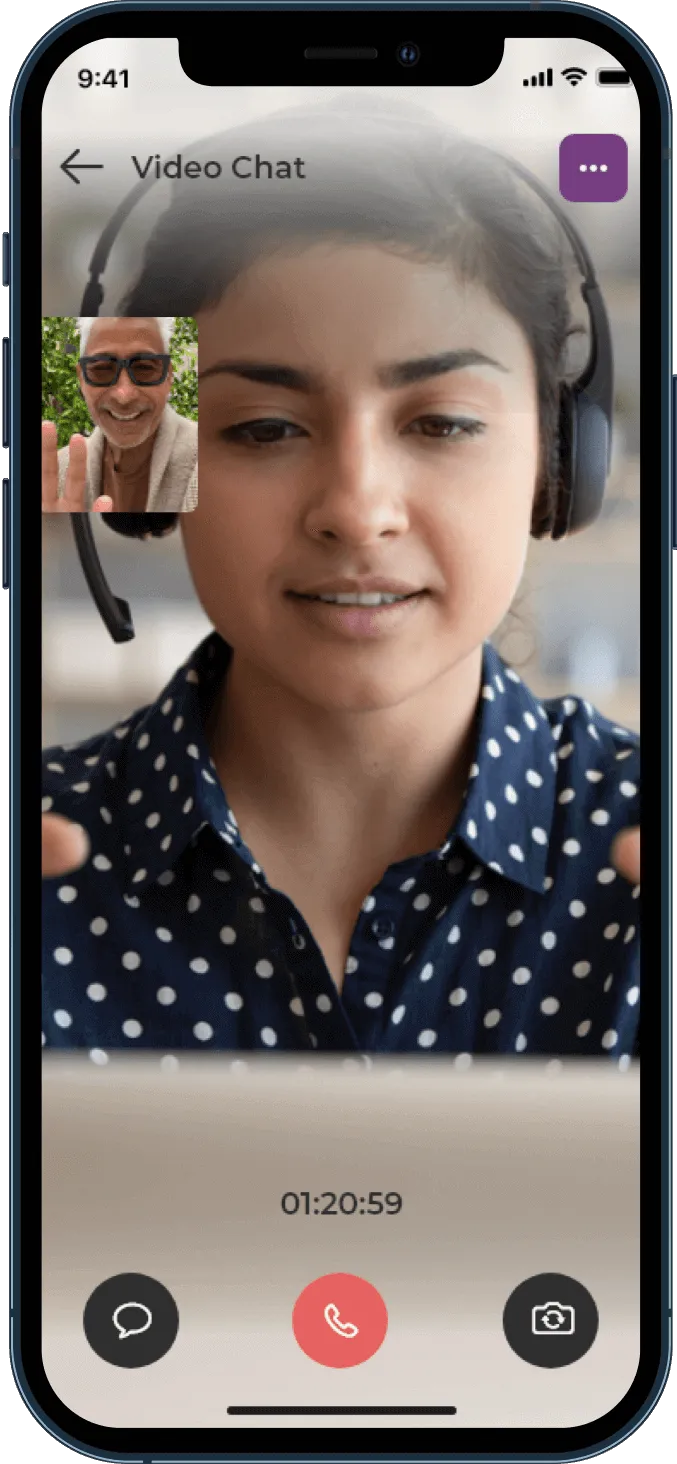
BusyHen in-app Video Chat session with main camera feed, picture-in-picture participant, session timer, chat control, and end-call button

Virtual classroom

What is BusyHen video tutoring?

BusyHen is a platform where students and tutors seamlessly connect and engage in virtual learning using interactive virtual classrooms with video calls, whiteboards, file sharing, and messaging.

Video tutoring is the core way lessons happen on BusyHen: live, face-to-face sessions inside the app, supported by tools that make online learning feel more like a real class.

BusyHen in-app Video Chat session with main camera feed, picture-in-picture participant, session timer, chat control, and end-call button
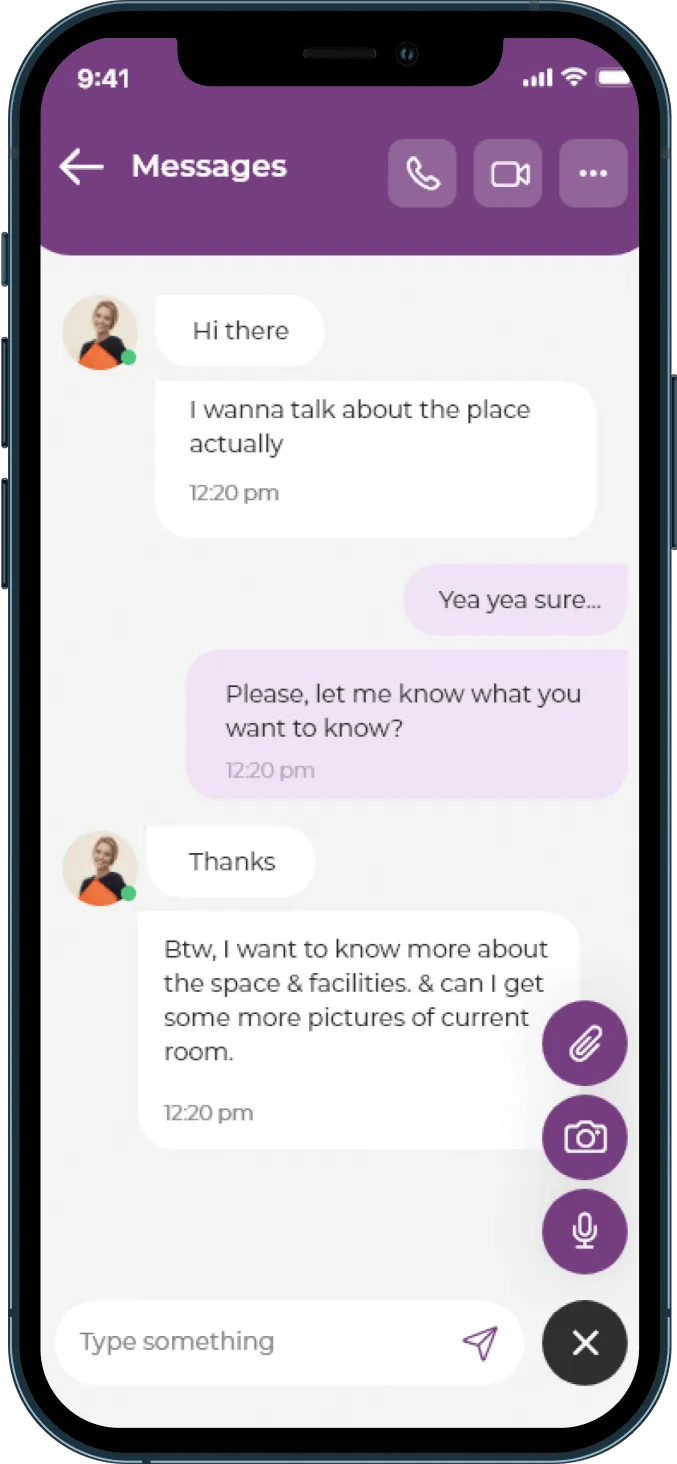
BusyHen Messages screen with voice call, video call, attachments, camera, and microphone controls

Session tools

What tools do you have during a video session?

BusyHen video tutoring is more than a simple call; it is a virtual classroom.

  • Live video calls

    Talk face-to-face with your tutor or students, ask questions, and get explanations in real time.

    BusyHen in-app Video Chat session with main camera feed, picture-in-picture participant, session timer, chat control, and end-call button
  • Collaborative whiteboards

    Work through problems visually with digital whiteboards that support live drawing and explanation on both sides.

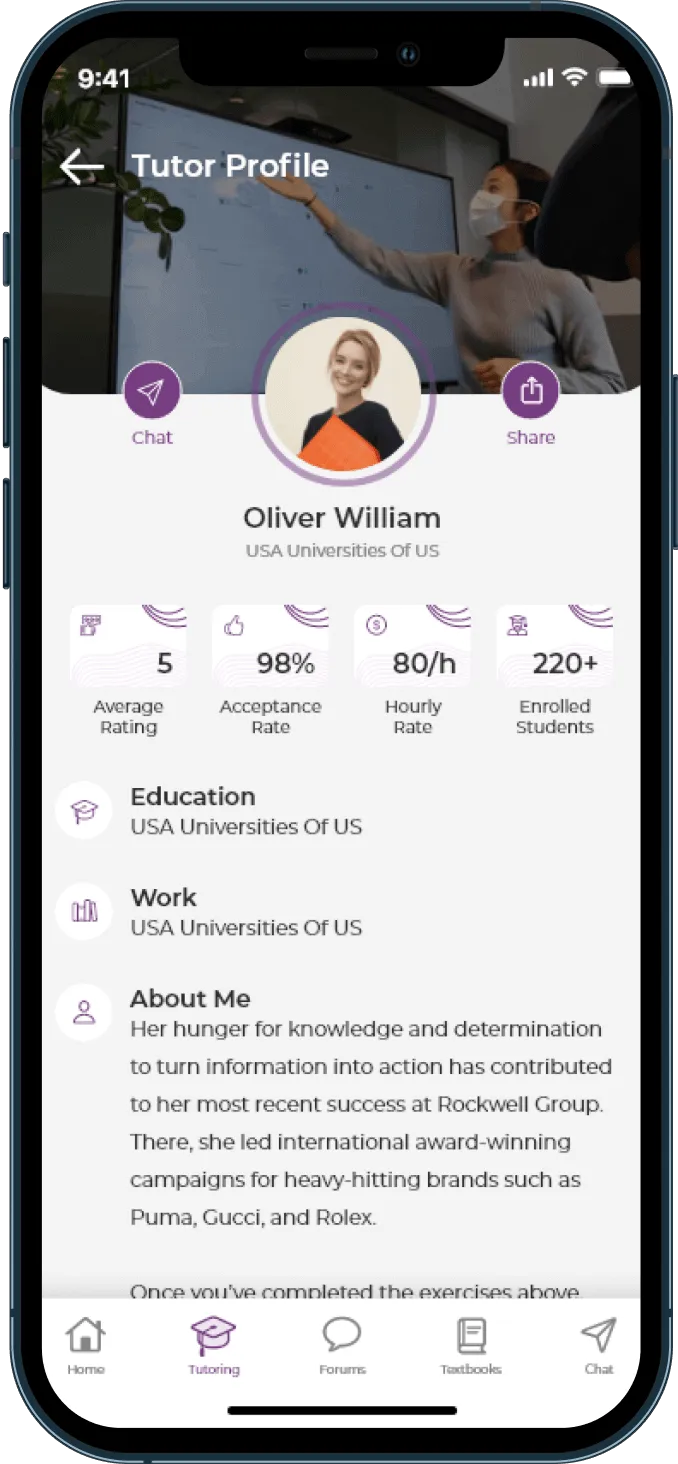
    BusyHen tutor profile showing average rating, acceptance rate, hourly rate, enrolled students, education, and about section
  • File sharing

    Share worksheets or reference materials during the call as part of BusyHen’s integrated tools for dynamic lessons.

    BusyHen Messages thread with attachments, camera, microphone, and video call controls in the header
  • Real-time messaging

    Use chat to send links, notes, or quick questions tied to the session instead of switching to another app.

    BusyHen Messages screen with voice call, video call, attachments, camera, and microphone controls

These tools make video tutoring on BusyHen feel like a connected classroom experience rather than a single video window.

Getting started

How do you start a video tutoring session?

BusyHen keeps the path from “I need help” to “I’m in a session” short.

For students

  1. Step 1

    Create your account

    Tap Sign Up in the BusyHen app and follow the instructions.

  2. Step 2

    Book a session

    Choose a One-On-One session or Group session with a tutor who matches your subject and schedule.

  3. Step 3

    Wait for confirmation

    The tutor accepts your request inside BusyHen.

  4. Step 4

    Join from Chat

    When your session is active, go to the Chat tab, select the session from the chat list, and start the interaction, including joining the in-app video call.

For tutors

  1. Step 1

    Create a tutor profile

    Use the same app as students; there is no separate tutor app or account. Switch between tutor and student from the Home tab.

  2. Step 2

    Accept session requests

    Students send one-on-one or group requests through BusyHen.

  3. Step 3

    Open the session from Chat

    When it’s time to teach, go to the Chat tab, select the active session, and start the video call.

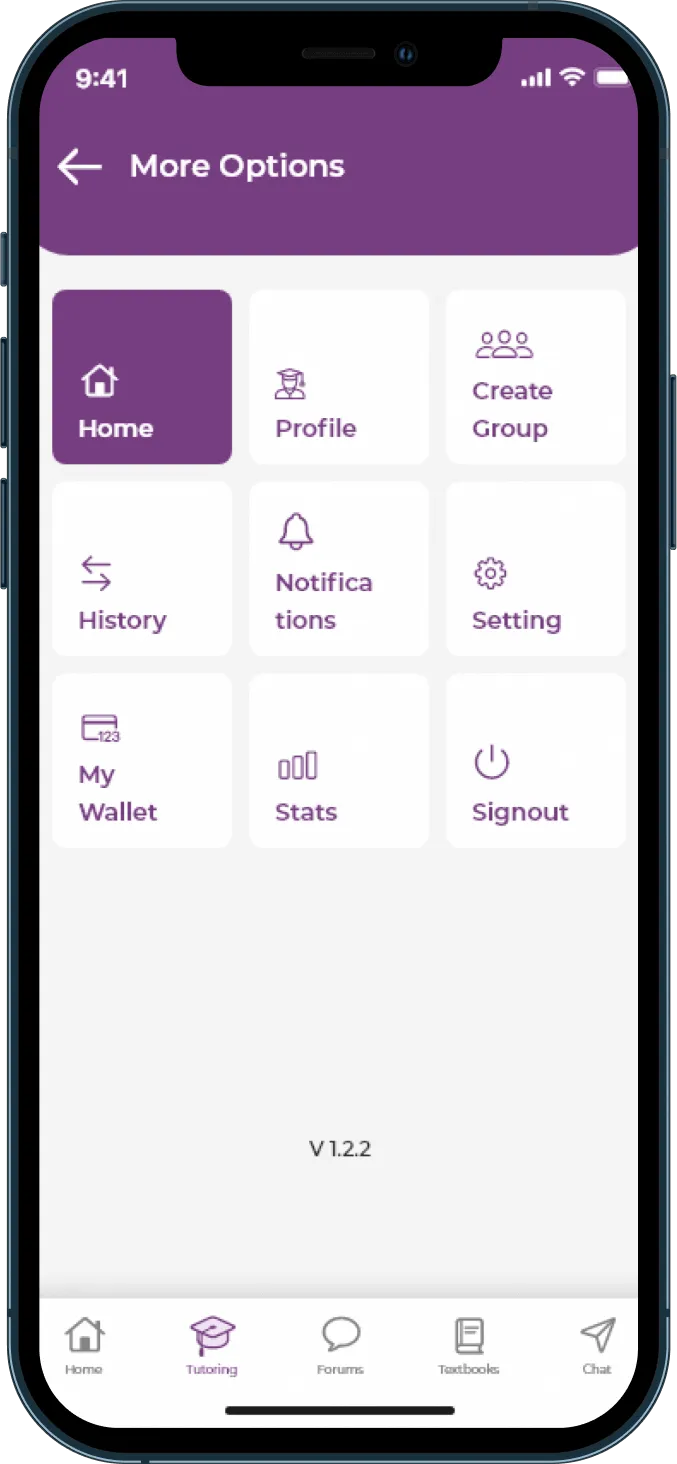
BusyHen More Options grid with Home, Profile, Create Group, History, Notifications, Settings, My Wallet, Stats, and Signout
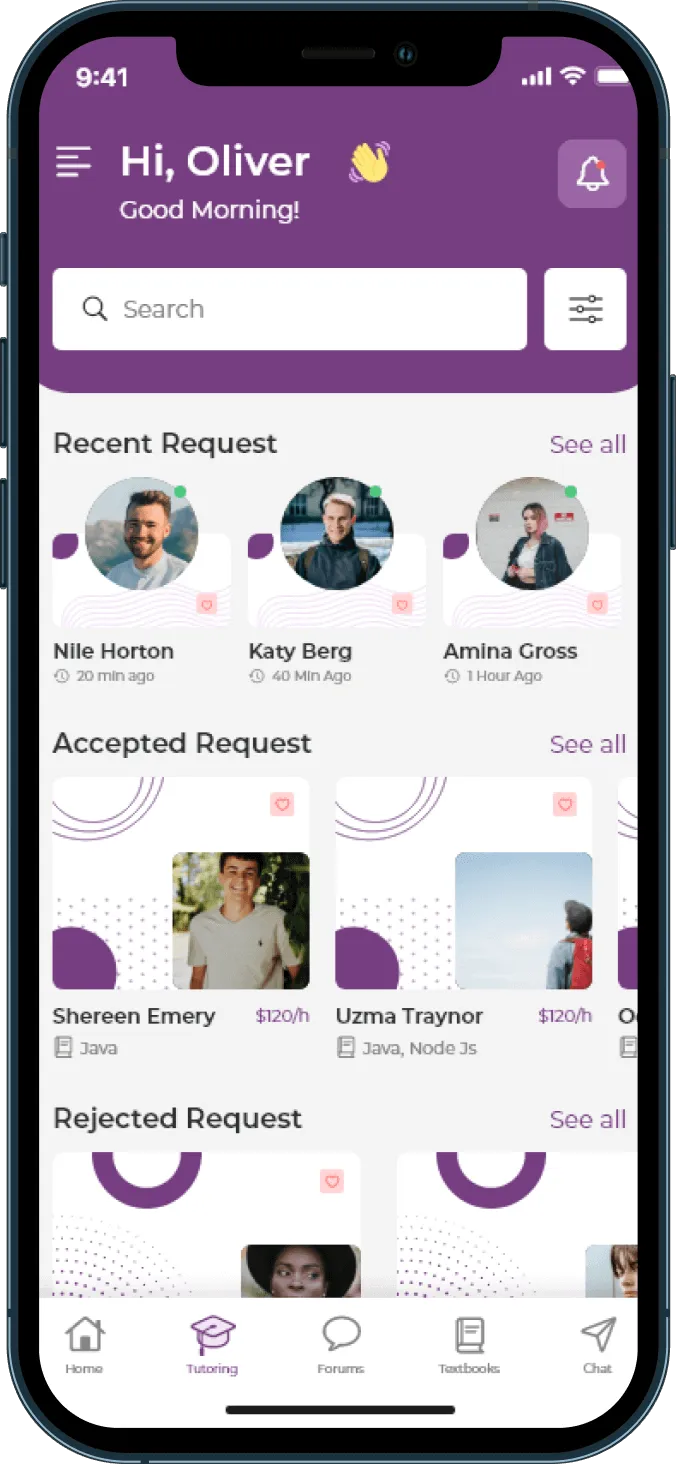
BusyHen Tutoring tab showing recent, accepted, and rejected session requests with tutor cards and hourly rates
BusyHen Messages thread with attachments, camera, microphone, and video call controls in the header
BusyHen in-app Video Chat session with main camera feed, picture-in-picture participant, session timer, chat control, and end-call button

Why BusyHen

Why use in-app video instead of Zoom or Meet?

BusyHen brings tutor discovery, booking, virtual classroom tools, and payments into one place.

BusyHen video tutoring

One integrated workflow

  • No extra meeting links: students join from the same app they used to book.
  • No separate rooms for every session: tutors start lessons directly from BusyHen, tied to each request.
  • Context stays with the session: whiteboards, files, and chat all live next to the video rather than being scattered across apps.
  • Payments follow the same flow: booking, learning, and payment are steps in one workflow, reducing friction for both sides.

Separate tools

Extra apps and friction

  • Extra meeting links for every lesson
  • Separate rooms disconnected from booking
  • Whiteboards, files, and chat scattered across apps
  • Payments handled outside the tutoring workflow

Payments

How do payments work for video tutoring sessions?

BusyHen’s public payment flow is the same for video sessions and other tutoring formats.

Payment in three steps

  1. 1

    When a student books a session, BusyHen authenticates the card but does not charge it immediately.

  2. 2

    After the session ends, BusyHen automatically deducts the payment from the authenticated card via the student’s preferred payment method.

  3. 3

    Payments are processed automatically after each session, so tutors don’t need to chase invoices and students know when they will be charged.

BusyHen More Options menu highlighting My Wallet alongside Profile, Create Group, History, Notifications, Settings, and Stats

Audience

Who is BusyHen video tutoring for?

BusyHen is built for both sides of the tutoring relationship.

For students

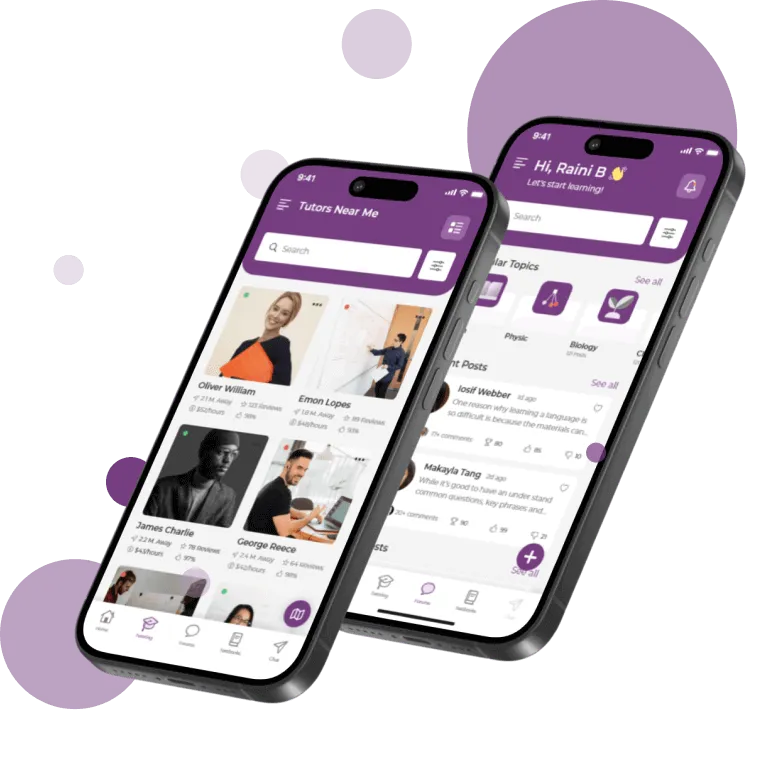
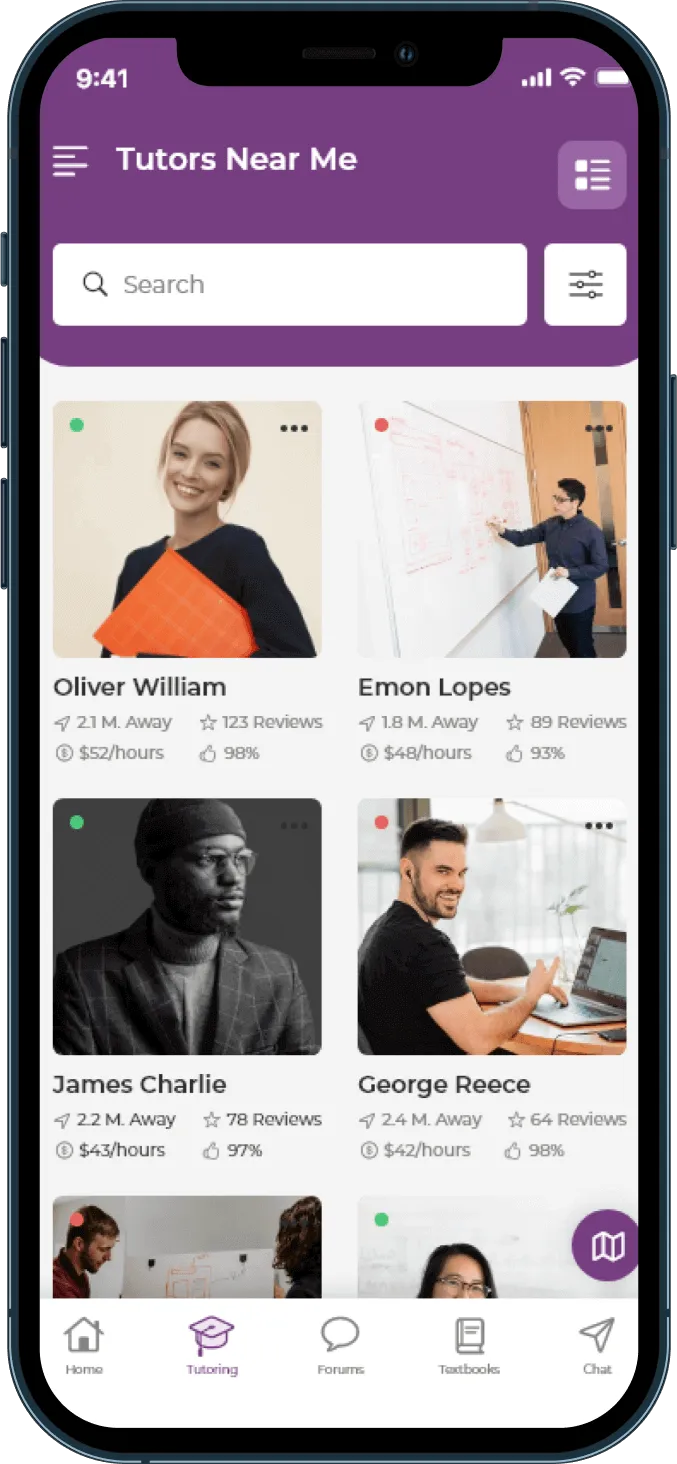
BusyHen Tutors Near Me screen showing a searchable grid of tutor profiles with ratings, distance, and hourly rates
  • Find tutors, book one-on-one or group sessions, join live video calls, and learn using whiteboards, files, and chat.

For tutors

BusyHen Tutoring tab showing recent, accepted, and rejected session requests with tutor cards and hourly rates
  • Accept requests, run live sessions through BusyHen’s virtual classroom tools, and get paid automatically after each session.
BusyHen FAQ - students and tutors using the app

Video Tutoring

Video Tutoring FAQ

Download

Start your next tutoring session over BusyHen video

Download BusyHen to find tutors, book one-on-one or group sessions, and learn over live video with whiteboard and chat - all inside a single iOS app.

Get BusyHen on the App Store · Privacy · Terms

BusyHen on iPhone - Tutors Near Me and home screens
BusyHen