




Skip to content
Download our app

How it works

How BusyHen takes you from “I need help” to “That session helped”

BusyHen is a peer-to-peer tutoring marketplace on iOS. Students sign up, browse tutors by subject, category, and hourly price, book one-on-one or group sessions, and join live video with a shared whiteboard, messaging, and Stripe payments. Tutors use the same account and app to publish a profile, accept requests, run sessions, and track earnings - switch between student and tutor from the Home tab.

One iOS app - from first tap to finished session.

  • 6 clear steps
  • One app, both roles
  • No Zoom required
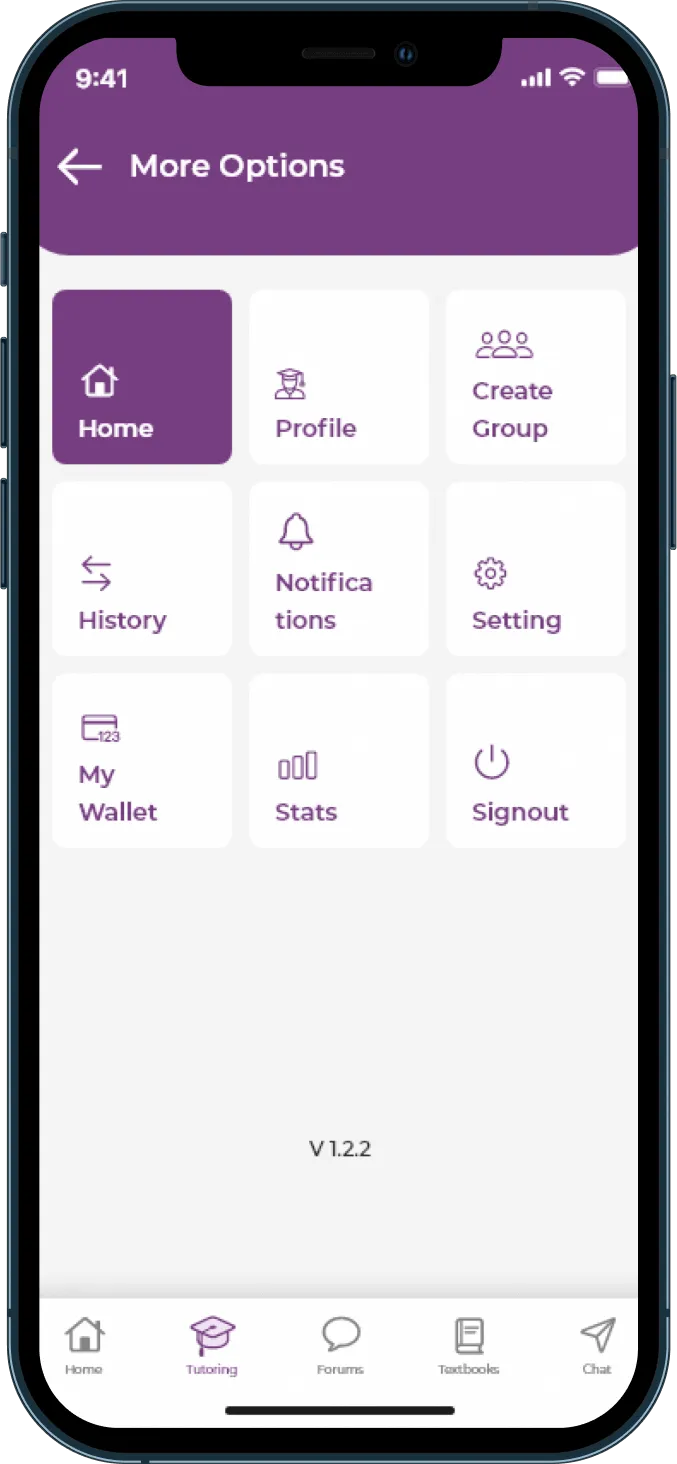
BusyHen More Options grid with Home, Profile, Create Group, History, Notifications, Settings, My Wallet, Stats, and Signout
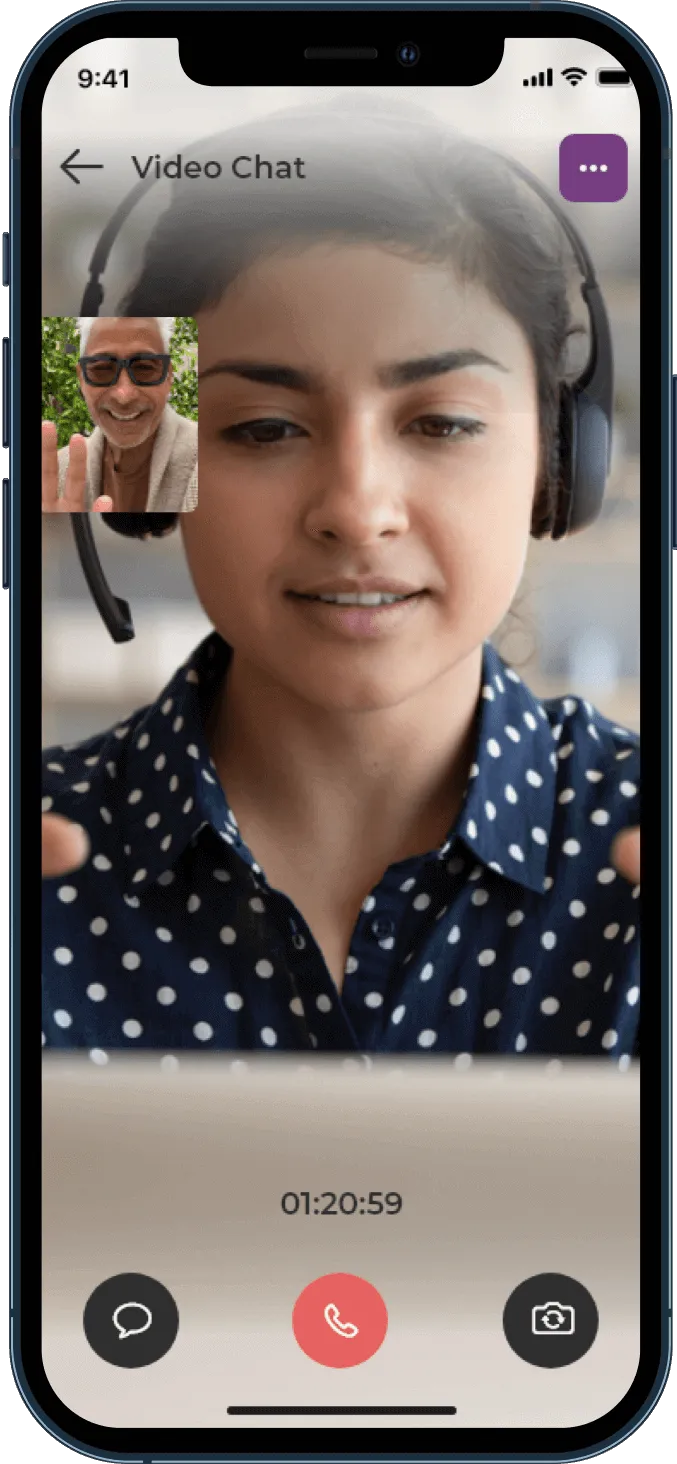
BusyHen in-app Video Chat session with main camera feed, picture-in-picture participant, session timer, chat control, and end-call button

The journey

From first tap to finished session

Six clear steps - the same path for students and tutors in one iOS app.

  1. Step 01

    Sign up and choose your role

    BusyHen begins with a single app for both students and tutors. Tap Sign Up and follow the instructions - getting into the app and letting BusyHen know whether you’re arriving to learn, teach, or both.

  2. Step 02

    Find tutors or set up your profile

    Once you’re inside BusyHen, you either look for tutors or present yourself as one - meeting in a structured way, not just through generic search results.

  3. Step 03

    Book a session or accept one

    With profiles in place, turn interest into a scheduled session. BusyHen’s design goal is to keep the path from “I found a tutor” to “I have a session booked” as short as possible.

  4. Step 04

    Join the live session

    BusyHen’s value comes from the session itself - live video, a shared whiteboard, and messaging. This is where the actual learning happens.

  5. Step 05

    Let payments follow the session

    While booking, Stripe authenticates the student’s card; once the session ends, payment is automatically deducted. Tutors track earnings in their wallet.

  6. Step 06

    Learn from the pattern

    After a few sessions, BusyHen becomes a pattern rather than a one-off experience - part of an ongoing learning routine, not just a single emergency fix.

One flow, two roles

Students and tutors share the same journey

BusyHen is one flow with two perspectives - learn or teach without leaving the app.

For students

Sign up → find → book → join

  • Create your profile: share basic details and what you want help with.
  • Stay in student mode if you only plan to learn.
  • Browse tutors by subject, category, and hourly price.
  • Read profiles, then choose one-on-one or group and send a request.
  • Join the live session and book follow-ups with tutors who helped.
For tutors

Sign up → profile → accept → teach

  • Use the same app - there is no separate tutor app.
  • Switch roles from the Home tab without creating a second account.
  • Create your tutor profile with subjects you offer and your hourly rate.
  • Review incoming requests and accept or decline sessions you can teach.
  • Teach in-app, track wallet earnings as sessions complete, and refine your profile.

Join the virtual classroom

When it’s time for your session: open BusyHen, go to Chat or Sessions, select the active session, and join the live virtual classroom over video.

BusyHen’s virtual classroom includes video calls, digital whiteboards, file sharing, and real-time messaging, so tutors can use advanced teaching tools - more than a scheduling tool.

  • Video

    Tutor and student talk over in-app video.

  • Whiteboard

    They use the shared whiteboard to work through examples.

  • Messaging

    They send messages tied to the session.

  • Summaries

    AI session summaries help review what was covered.

BusyHen in-app Video Chat session with main camera feed, picture-in-picture participant, session timer, chat control, and end-call button
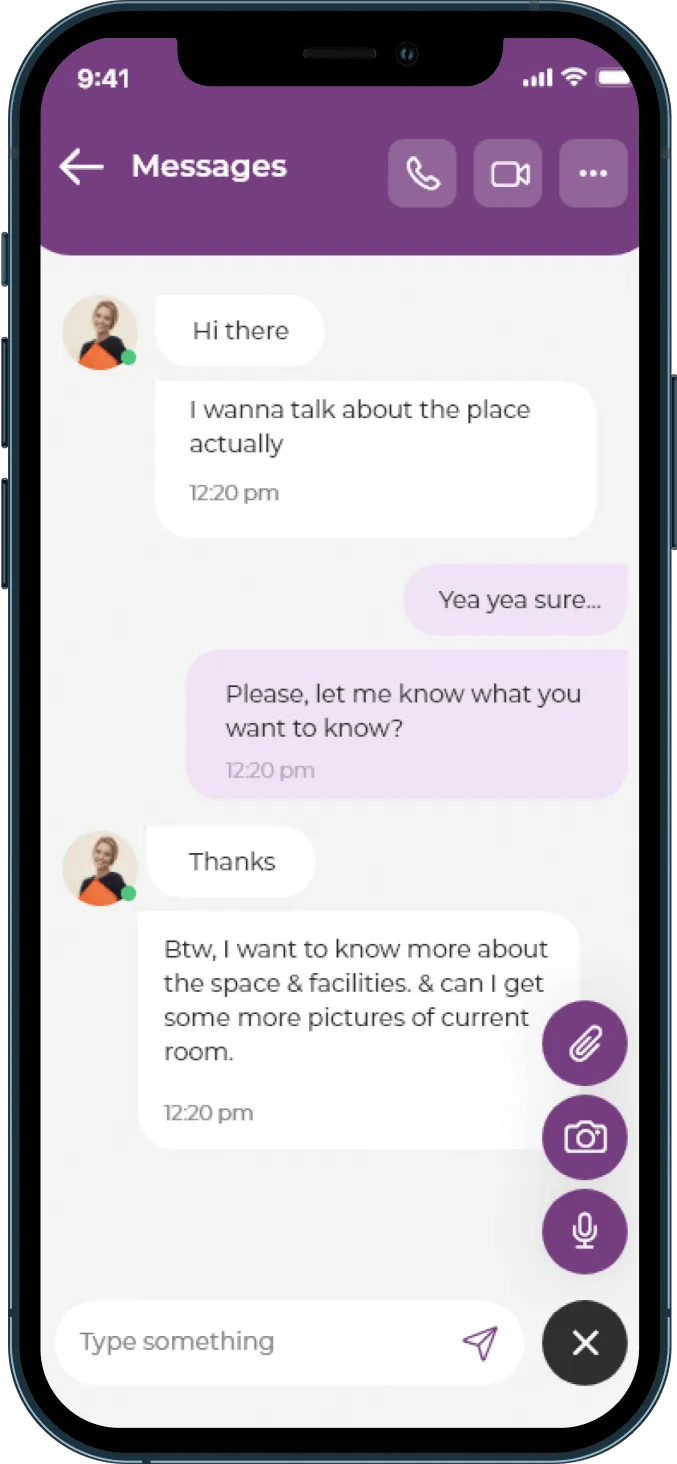
BusyHen Messages screen with voice call, video call, attachments, camera, and microphone controls

Let payments follow the session

Card authentication at booking, automatic charge after the session - so everyone can focus on teaching and learning.

  1. 01

    Card authenticated at booking

    Your card is authenticated, confirming it’s valid and ready.

  2. 02

    Session is held

    Learn and teach live in BusyHen’s virtual classroom.

  3. 03

    Payment after the session

    BusyHen charges your card through your preferred payment method, tied to the session you just completed.

Tutors: earnings grow with sessions - no separate invoicing step.

Why this flow

What makes BusyHen’s flow different?

Many online tutoring setups rely on several tools. BusyHen keeps the path inside one app.

Typical online tutoring

Multiple apps

  • One tool to find a tutor
  • Another to chat
  • A separate video app
  • A separate payment method

BusyHen

One app

  • One app, one account - roles managed inside BusyHen
  • Sessions inside the app - not a third-party meeting link
  • Payments follow sessions - authentication and charges in the same flow
  • Fewer points where things can go wrong - less juggling, more learning

How it works

How It Works FAQ

Do I need different apps to learn and to tutor?

No. BusyHen uses a single app for students and tutors. You can switch between roles from the Home tab instead of installing separate apps or creating separate accounts.

Do I need Zoom or Google Meet for sessions?

No. Sessions run inside BusyHen with in-app video, a shared whiteboard, and messaging.

When am I charged for a session?

Your card is authenticated when you book through Stripe, and payment is deducted automatically after the session ends.

How do I know if a tutor is a good fit?

Use the tutor marketplace to filter by subject, category, and hourly price, then read profiles for bio, education, ratings, acceptance rate, and subjects offered before you book.

Can I switch from one-on-one to group tutoring?

Yes. If you start with one-on-one sessions and later want to learn with peers, you can join group sessions offered by tutors through the same app.

Download

See how BusyHen fits into your learning or teaching routine

BusyHen brings sign-up, tutor discovery, booking, virtual classrooms, and payments into one iOS app. Whether you’re a student who needs help or a tutor who wants to teach more effectively online, you can follow the same clear flow from first tap to finished session.

Get BusyHen on the App Store · Privacy · Terms

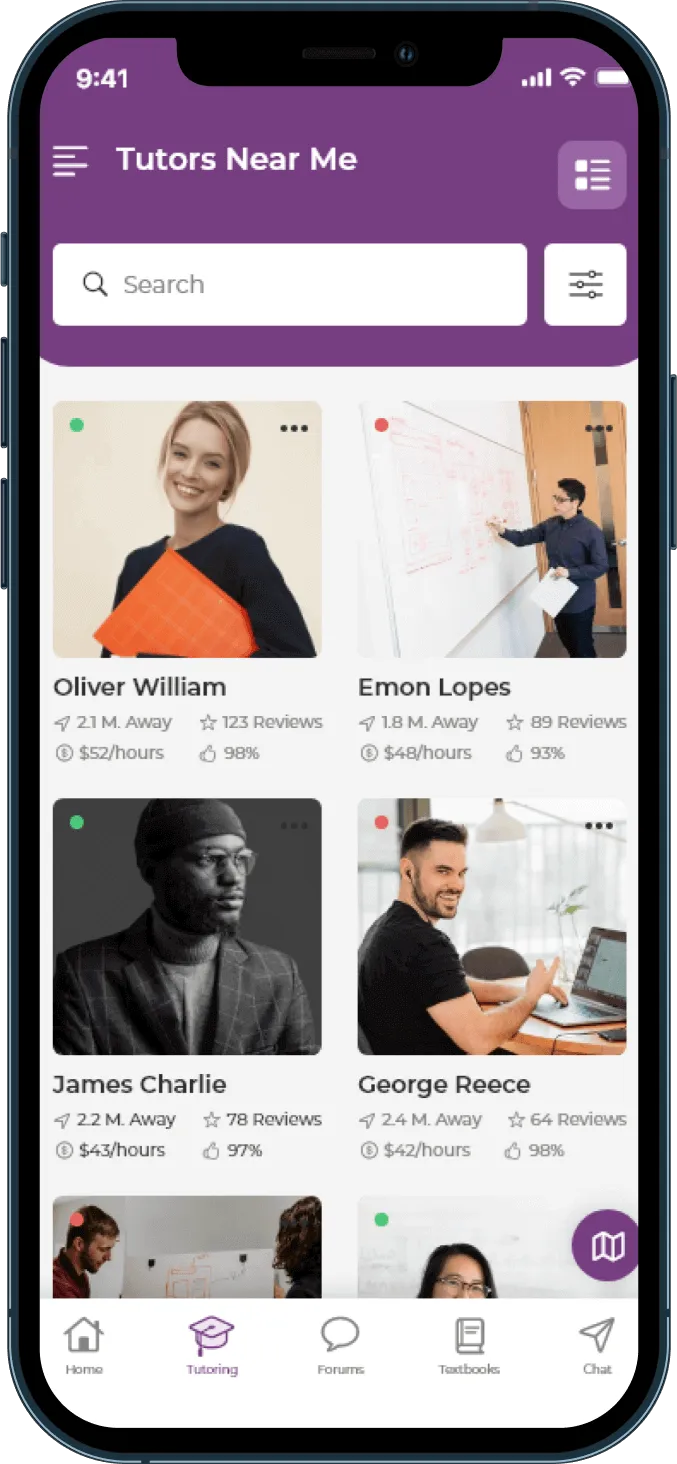
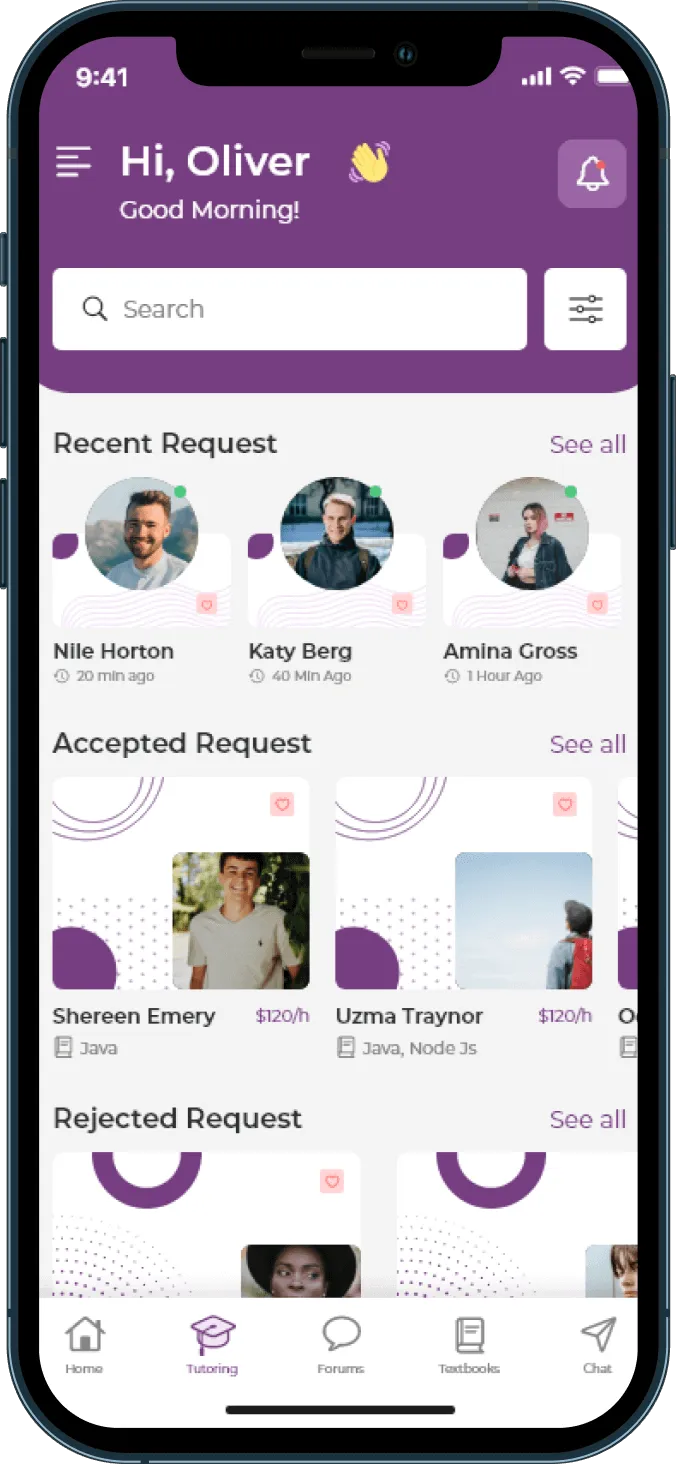
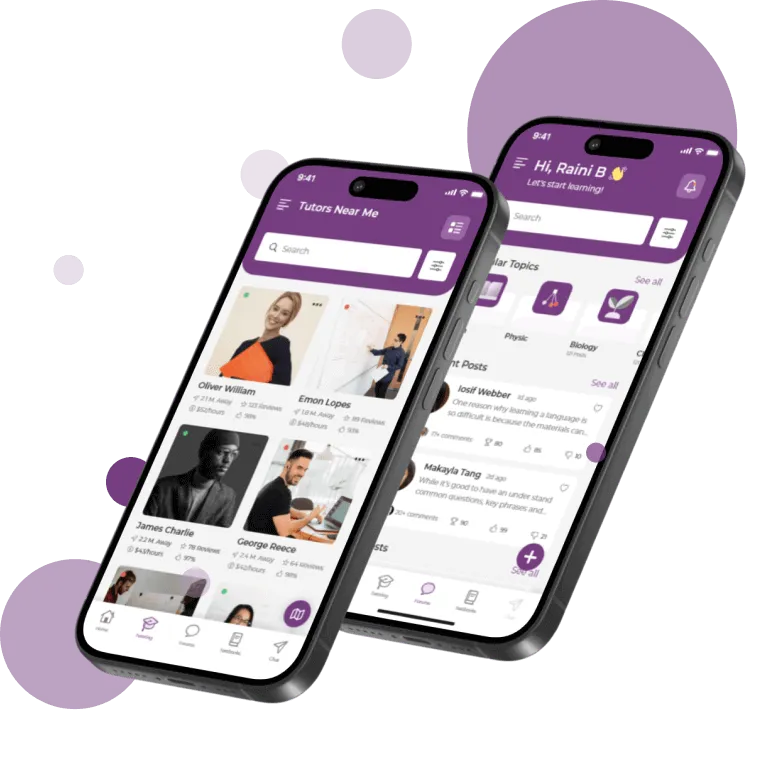
BusyHen on iPhone - Tutors Near Me and home screens
BusyHen